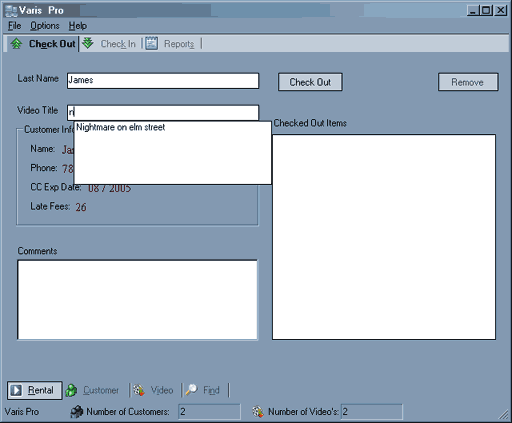
Here we have the Blank Check Out screen.

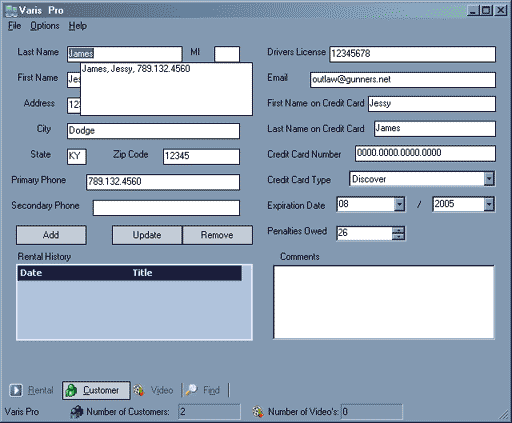
This shot captures the auto-complete feature of Varis Pro in action. although the sample database is very small (in this shot there are only 2 customers and 2 video's so there will be more in the drop down box when you have a full inventory, and you will have the ability to scroll through the list of names and select the one you need..
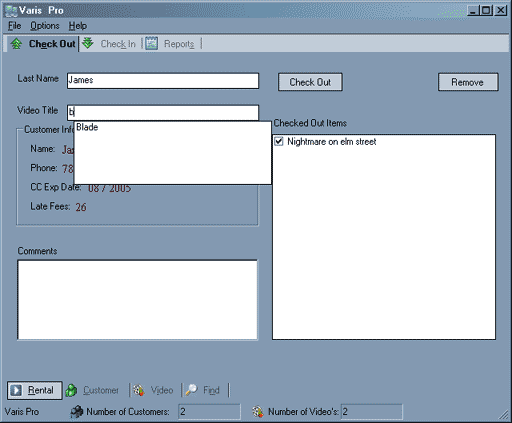
Once you've entered a video for rental, pressing enter will add it to the list of video's for checkout as shown below.
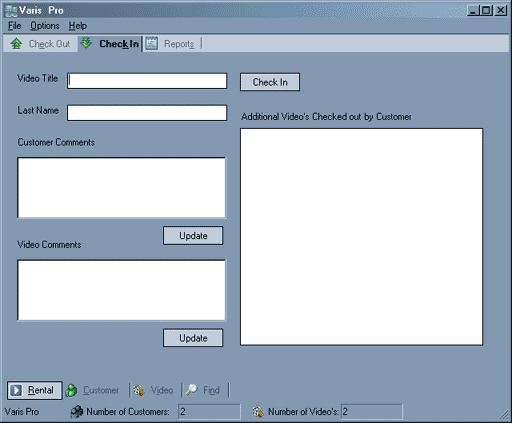
This is a shot of the check in screen. It allows comments to be entered in at check in about the video being checked in as to its condition or any notes you would like to make.
This is the customer data entry screen. It has the auto-complete feature of the check in and out screens. This allows customer information which is already in the database to be entered quickly. Once you select the customer name in any of the screens requiring a last name it will automatically propagate the customer tab with all of the customer information and also a rental history of that customer.
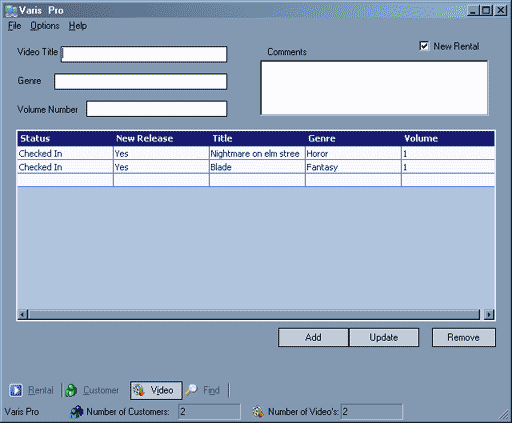
This is the video data entry screen it’s fairly simple. It will also show a listing of all video's currently in the database and their information and status. All data tables like the one above and below are sortable, so you can click on the column heading and it will sort the details accordingly.
There are 2 other screens that aren’t shown here. One is the Find page and the other is the reports page. These are both under development and I feel it would be better to showcase them after work has been completed.
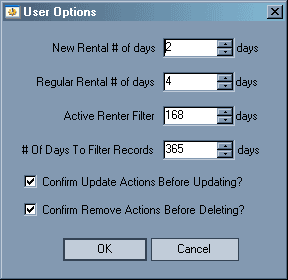
The program also has a rudimentary options menu. It allows the user to
filter and define certain things in the program. It will define the length
of time for a new rental, and also the length of time for a normal rental.
It also provides a safety mechanism on updating and deleting customer
and video records. The options menu lets you select confirmations on actions
such as update and remove, so that if you accidentally choose to delete
a customer it will not actually take place until you confirm that action.
If you are one of these people who never make mistakes, you can disable
the feature.