Download:
Setup Instructions:
Varis Pro:
- Download the latest version of Varis Pro from sourceforge from the link above.
- Install like normal.
- Download MySQL HERE and follow the setup instructions below. After setting up MySQL continue to step 4.
- Go to your Program Files directory to your Varis Pro directory and double click the dBase-Setup.bat file. This will set up the database and user that Varis Pro will use to run your system. If you already have MySQL set up on your computer, you will need to remember the root password for the dbase-setup.bat program.
- Double Click on either the Icon on your desktop or the one in your start menu.
- If you need any further assistance please feel free to contact the project administrator at madhatter_oz at users.sourceforge.net for further assistance.
MySQL:
- Download the SQL server from the link above or from one of their mirrors HERE.
- Follow their installation instructions.
- If this does not open up after installation
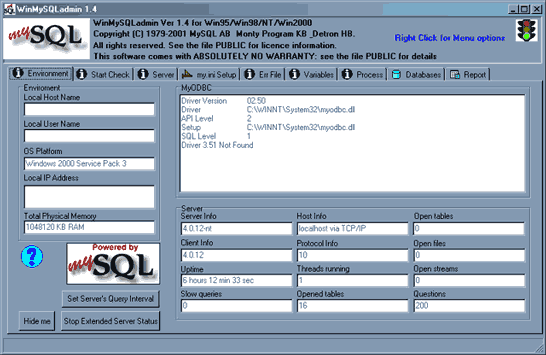
Go to your C:\mysql\bin (or which ever drive you installed it on) and double click on WinMySQLAdmin.exe and you should get the above screen. It might prompt you to create a "root" user, if so do it. Remember the password because step 4 of the Varis Pro setup will open a window and ask you for it, so that Varis Pro can set up it's database. - If you have any problems you can contact madhatter_oz at users.sourceforge.net for further assistance.
Additional Help on setting up the database found HERE
